
Why Do I Get Headaches After Working at My Desk? Unpacking Computer Vision Syndrome

If headaches tend to appear after several hours at your computer, your eyes may be part of the problem. Long periods of screen use can contribute to computer vision syndrome, also called digital eye strain. For people who spend much of the workday at a desk, symptoms can build gradually and make it harder to stay comfortable and focused.
At Vision Source Chambers Town Center, we evaluate how your eyes focus and work together to determine whether vision problems may be contributing to headaches and other screen-related symptoms.
What Is Computer Vision Syndrome?
Computer vision syndrome describes a group of symptoms associated with prolonged use of computers, phones, tablets, and other digital devices. Looking at a screen requires continuous focusing at a relatively close distance. Over several hours, this can place extra demand on the visual system.
Common symptoms include:
• Headaches during or after screen use
• Tired, sore, or burning eyes
• Blurry or fluctuating vision
• Dry or irritated eyes
• Difficulty shifting focus from near to far
• Neck or shoulder discomfort
Symptoms can become more noticeable toward the end of the workday, particularly when screen time is combined with poor lighting, glare, an outdated vision prescription, or an uncomfortable workstation setup.
Why Can Screen Time Trigger Headaches?
When you look at a computer screen, your eyes continually adjust their focus and work together to maintain clear, comfortable vision. Even a small amount of uncorrected nearsightedness, farsightedness, astigmatism, or another focusing issue can make this task more demanding.
People also tend to blink less frequently while concentrating on digital screens. Reduced blinking can cause the tear film to evaporate more quickly, contributing to dry eye symptoms, blurred vision, and additional eye strain.
Desk posture can play a role as well. A screen positioned too high, too close, or at an awkward angle may cause you to change your head or neck position while working, adding physical tension to visual fatigue.
Simple Ways to Reduce Digital Eye Strain
Taking regular breaks from close-up work can help your focusing system relax. The 20-20-20 rule is an easy habit to remember - approximately every 20 minutes, look at something about 20 feet away for at least 20 seconds.
You can also adjust your monitor so it is a comfortable distance away and slightly below eye level, reduce screen glare, increase text size when needed, and make a conscious effort to blink regularly. If dry eye is contributing to your discomfort, an eye exam can help us determine whether additional treatment may be appropriate.
When Should You Schedule an Eye Exam?
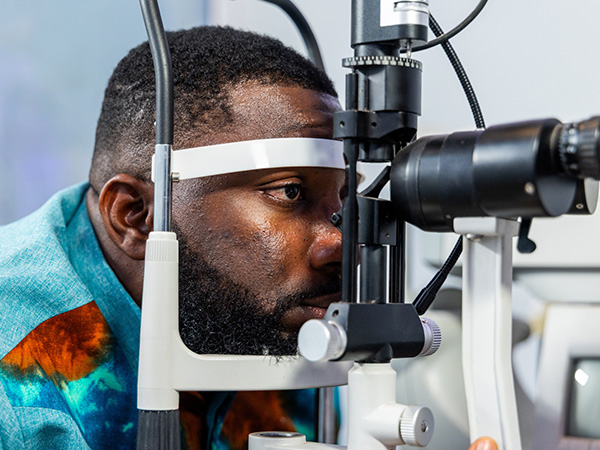
Frequent headaches should not automatically be blamed on your computer. Headaches have many possible causes, which is why persistent or worsening symptoms deserve appropriate evaluation. During a comprehensive eye exam in Baytown, we can check your prescription, focusing ability, eye coordination, and overall eye health. If vision or dry eye problems are contributing to computer vision syndrome, we can recommend solutions based on your specific needs.
If desk work is leaving you with headaches, tired eyes, or blurry vision, schedule a comprehensive eye exam with Vision Source Chambers Town Center to identify possible causes of digital eye strain and find the right solutions for more comfortable vision throughout your workday. Contact our office in Baytown, TX, by calling (346) 644-7400 to book an appointment.
Helpful Articles
All Eye Care Services
Find personalized eye care excellence with our comprehensive services. From eye exams to advanced diagnostics, trust us for all your vision needs.

Keep In Touch
For non-urgent questions or to learn more about our services, contact us today!
© 2026 Vision Source Chambers Town Center. All rights Reserved - Accessibility Statement - Privacy Policy - Sitemap
Managed and Designed by 